Flood guide · Guide · 14 min
How to Read the Flood Sea-Level Map Correctly
A practical guide to interpreting Flood by Outborn’s sea-level and elevation screening map: what the threshold means, what highlighted terrain does and does not show, how to compare locations, and how to avoid confusing screening with prediction.
Flood by Outborn includes a sea-level / elevation screening view that lets you choose a threshold and see which terrain sits at or below that elevation.
It is a useful way to explore low-lying geography, compare areas and identify places that may deserve closer investigation.
But the most important thing to understand is this:
A sea-level screening map is not the same thing as a flood forecast.
The map does not tell you that water will reach the selected level, when it might happen, or how deep water would be at a specific property.
Instead, it answers a narrower and more useful screening question:
“If I use this elevation threshold, which parts of the terrain fall at or below it?”
That distinction matters because sea-level, terrain elevation, flood depth, tides, storm surge, drainage and river conditions are related—but they are not interchangeable.
Open the map: Flood by Outborn
What the sea-level slider actually represents
The slider value should be read as an elevation threshold.
When you increase the threshold, more terrain can appear highlighted because more land lies at or below that selected elevation.
That does not mean:
- sea level is currently at that value;
- sea level is forecast to reach that value;
- every highlighted location would be connected to water;
- water depth at a property would equal the selected threshold;
- a highlighted road or building is guaranteed to flood.
The slider is best understood as a terrain screening control.
A simple example
Imagine three locations:
- Point A: elevation 0.8 m
- Point B: elevation 1.6 m
- Point C: elevation 3.2 m
If you set the threshold to 2.0 m, A and B may fall at or below the threshold while C remains above it.
That tells you something about relative terrain.
It does not tell you whether A or B will actually be flooded in the real world.
Why elevation is useful—but not enough
Elevation is one of the variables that matters in flood exposure because water tends to accumulate or move through lower terrain.
But real flood outcomes depend on many additional factors, including:
- whether low terrain is connected to a river, canal or coast;
- levees and flood walls;
- road embankments;
- pumps and drainage systems;
- culverts and channels;
- rainfall intensity and duration;
- upstream river flow;
- tides;
- waves;
- storm surge;
- blocked drains;
- local development and earthworks.
This means a low area can remain dry under some conditions, while a higher area can still be disrupted if its access road, drainage or utility systems fail.
The sea-level map is useful because it gives you a first-pass terrain view.
It should not be treated as a complete flood model.
Sea-level scenario, flood depth and elevation are different concepts
These terms are often confused.
Elevation
Elevation describes how high the terrain is relative to a reference datum.
It is a property of the land surface.
Scenario threshold
A scenario threshold is the level you choose for screening.
It lets you compare terrain against that selected value.
Flood depth
Flood depth is the vertical depth of water above the ground at a specific location.
You cannot get true flood depth simply by subtracting a terrain value from a scenario threshold unless a hydrologically valid water surface exists there.
Sea level
Sea level is a physical water-surface reference that varies with tides, weather, ocean conditions and longer-term change.
A simple terrain screen does not fully model those processes.
How to interpret the highlighted terrain
When an area is highlighted, read it as:
“This terrain lies at or below the selected screening threshold.”
Do not automatically read it as:
“This area is flooded.”
The highlighted pattern is useful for exploring questions such as:
- Which roads are lower than nearby roads?
- Which neighborhoods sit in broad low areas?
- Are there apparent depressions?
- Which facility entrances sit below surrounding ground?
- Where are relatively higher nearby areas?
- Does a low corridor connect toward a river or coast?
The map helps identify where more investigation is worthwhile.
Step 1: Start with a small area
Do not begin with the whole country.
Pick a place that matters:
- home;
- condominium;
- school;
- office;
- warehouse;
- factory;
- coastal site;
- evacuation route;
- backup parking;
- a location you are considering buying or renting.
Then zoom in far enough to compare roads, blocks and access points.
The closer your question is to a real decision, the more useful the screen becomes.
Step 2: Use several thresholds, not only one
A single threshold gives you only one snapshot of the terrain relationship.
Try a sequence such as:
- 0.5 m
- 1.0 m
- 1.5 m
- 2.0 m
- 3.0 m
The exact values are less important than observing how the pattern changes.
Look for:
- the first roads that become highlighted;
- areas that remain above the threshold longer;
- sudden transitions;
- low corridors;
- isolated depressions;
- infrastructure sitting between low zones.
This lets you identify which locations are most sensitive to changes in the scenario.
Step 3: Compare nearby places with the same threshold
A very effective technique is to hold the threshold constant and compare locations.
For example:
- Neighborhood A vs Neighborhood B
- Factory gate vs loading bay
- Home vs backup parking
- Main road vs side road
- Coastline A vs coastline B
Using the same threshold makes relative differences easier to see.
This is often more useful than asking whether one isolated point is “safe.”
Step 4: Inspect individual points
If Flood provides point inspection, use it to check terrain values at key locations.
Good points to inspect include:
- building entrance;
- road outside the property;
- lowest visible road segment;
- basement or parking access;
- nearby canal edge;
- bridge approach;
- backup parking;
- alternative exit.
Avoid relying on a single point.
Terrain data represents a surface, and real-world sites can contain small features, ramps, walls and structures that a broad elevation dataset may not capture perfectly.
Step 5: Ask whether the low area is hydrologically connected
This is one of the most important interpretation steps.
A terrain cell can lie below your selected threshold but still not flood because water may not be able to reach it.
Possible reasons include:
- levees;
- seawalls;
- raised roads;
- buildings;
- drainage gates;
- pumps;
- barriers;
- disconnected depressions;
- local drainage infrastructure.
Conversely, a location that appears higher can still be affected by:
- intense rainfall;
- drainage failure;
- river overflow;
- runoff from nearby slopes;
- access-road flooding.
So after seeing highlighted terrain, always ask:
“How would water actually get here?”
That question prevents one of the most common mistakes in elevation-map interpretation.
Step 6: Understand why Bangkok needs extra caution
Bangkok and the surrounding metropolitan region are a good example of why terrain elevation alone is not enough.
Urban flood behavior can be strongly affected by:
- canals;
- pumping stations;
- flood barriers;
- road elevation;
- drainage capacity;
- building levels;
- basement entrances;
- localized heavy rainfall;
- river conditions.
A sea-level screen can still be useful for understanding relative low terrain, but it should be paired with local infrastructure and official operational information.
For a Bangkok condominium, for example, the most useful question may not be whether the building footprint is low.
It may be:
- Is the basement ramp lower?
- Is the road outside lower?
- Is the only exit through a low intersection?
- Where is the nearest higher parking location?
Step 7: Understand why coastal screening is different
Coastal areas introduce additional processes that a simple elevation threshold does not model completely.
These can include:
- tides;
- storm surge;
- waves;
- coastal defenses;
- river backwater;
- groundwater conditions;
- erosion;
- estuary dynamics.
The Flood sea-level view should therefore be treated as broad coastal screening, not as a prediction of a future shoreline.
It can help identify low coastal terrain, but a serious engineering or investment decision needs more detailed local analysis.
Step 8: Do not treat the color as an official warning level
Map colors are part of a visualization system.
They should not be confused with official hazard-warning categories.
A highlighted area on Flood does not mean an evacuation order exists.
If a government agency issues a warning, road closure or evacuation instruction, follow the official instruction.
The map should support preparedness, not override operational authority.
Scenario, forecast and observation: keep them separate
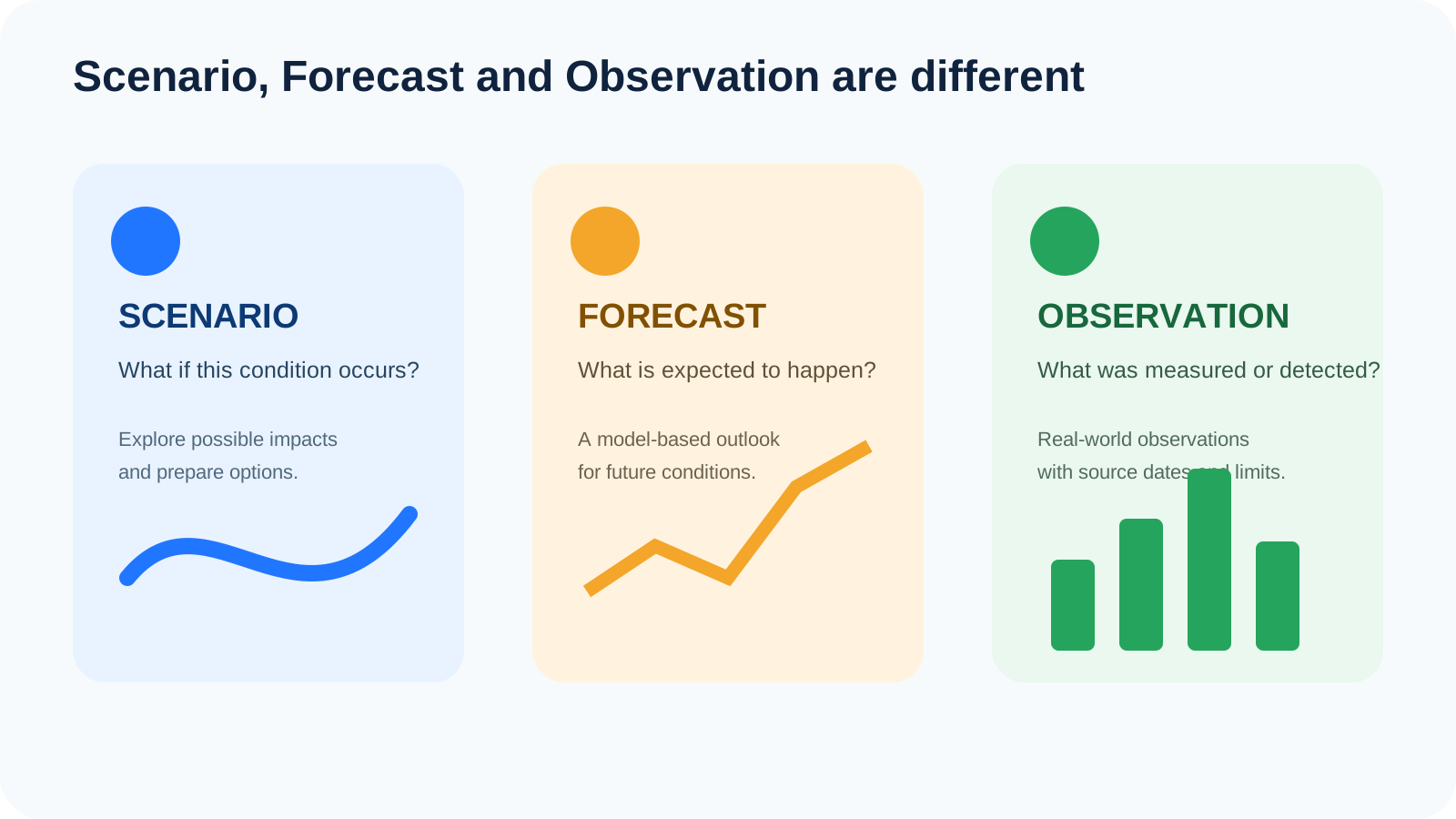
Scenario
A conditional view:
“If this threshold were used, what terrain would fall below it?”
Forecast
A model-based future estimate:
“What conditions are expected over a future time window?”
Observation
A measurement or detection:
“What has been measured or observed?”
Confusing these categories can create false certainty.
The Flood sea-level map is primarily a scenario and screening surface.
How to use the map before buying or renting property
The sea-level screen can be useful as an early due-diligence tool.
Use it to identify questions such as:
- Is the site lower than nearby roads?
- Is the entrance lower than the building?
- Is the property near a canal or low corridor?
- Are there nearby higher alternatives?
- Is the road network vulnerable at one specific point?
Then verify with:
- local flood history;
- neighbors;
- building management;
- local government;
- drainage plans;
- insurance information;
- professional surveys where appropriate.
A screening map is excellent for deciding what to investigate next.
It is not enough to approve or reject a high-value property decision by itself.
How businesses can use sea-level screening
Businesses can use the map to screen operational dependencies.
Retail and offices
Check:
- customer entrance;
- staff access;
- basement parking;
- loading areas;
- electrical rooms;
- alternative entrances.
Warehouses and factories
Check:
- gate elevation;
- truck routes;
- loading bays;
- critical equipment;
- generator areas;
- raw-material storage;
- finished-goods storage;
- employee transport routes.
Business-continuity question
Ask:
“Which single low access point could stop operations even if the building itself stays dry?”
That question often reveals more useful risk information than simply looking at the facility footprint.
What resolution means for interpretation
Elevation datasets have finite resolution.
That means each pixel or grid cell represents an area, not an infinitely precise ground point.
Depending on the source, small features may be generalized or missed:
- curbs;
- small walls;
- narrow drainage channels;
- ramps;
- steps;
- local fills;
- recently changed terrain.
For broad screening, this is acceptable.
For design, engineering or property-level decisions, use site-specific measurements and higher-resolution data when needed.
What “at or below threshold” does not prove
If an area is highlighted, it does not prove:
- flood depth;
- duration;
- flow velocity;
- timing;
- source of water;
- future frequency;
- insurance eligibility;
- engineering risk;
- evacuation need.
Those are separate questions requiring other information.
A good interpretation workflow
Use this sequence:
1. Choose the area
Start with a place tied to a real decision.
2. Inspect the terrain
Compare the property, road and surrounding locations.
3. Test multiple thresholds
Look at how the highlighted pattern changes.
4. Ask about connectivity
Think about rivers, canals, coast, drains and barriers.
5. Check official context
Use Thai Meteorological Department, Royal Irrigation Department, DDPM, ONWR and local sources where relevant.
6. Convert the insight into action
Choose a backup route, higher parking location, equipment-move plan or further investigation.
This workflow turns a map from a visual curiosity into a preparedness tool.
Common interpretation mistakes
“Blue means flooded now”
Not necessarily. Check the layer type and source date.
“Below 1 metre means 1 metre of floodwater”
Incorrect. Elevation and flood depth are different concepts.
“Higher terrain means no flood risk”
Not always. Drainage and access can still fail.
“The threshold is a forecast”
It is a scenario setting, not a prediction.
“If two places have the same elevation, their flood risk is identical”
Not necessarily. Connectivity, defenses and drainage can be completely different.
“The map can replace official warnings”
It cannot.
Use the map to prepare, not to panic
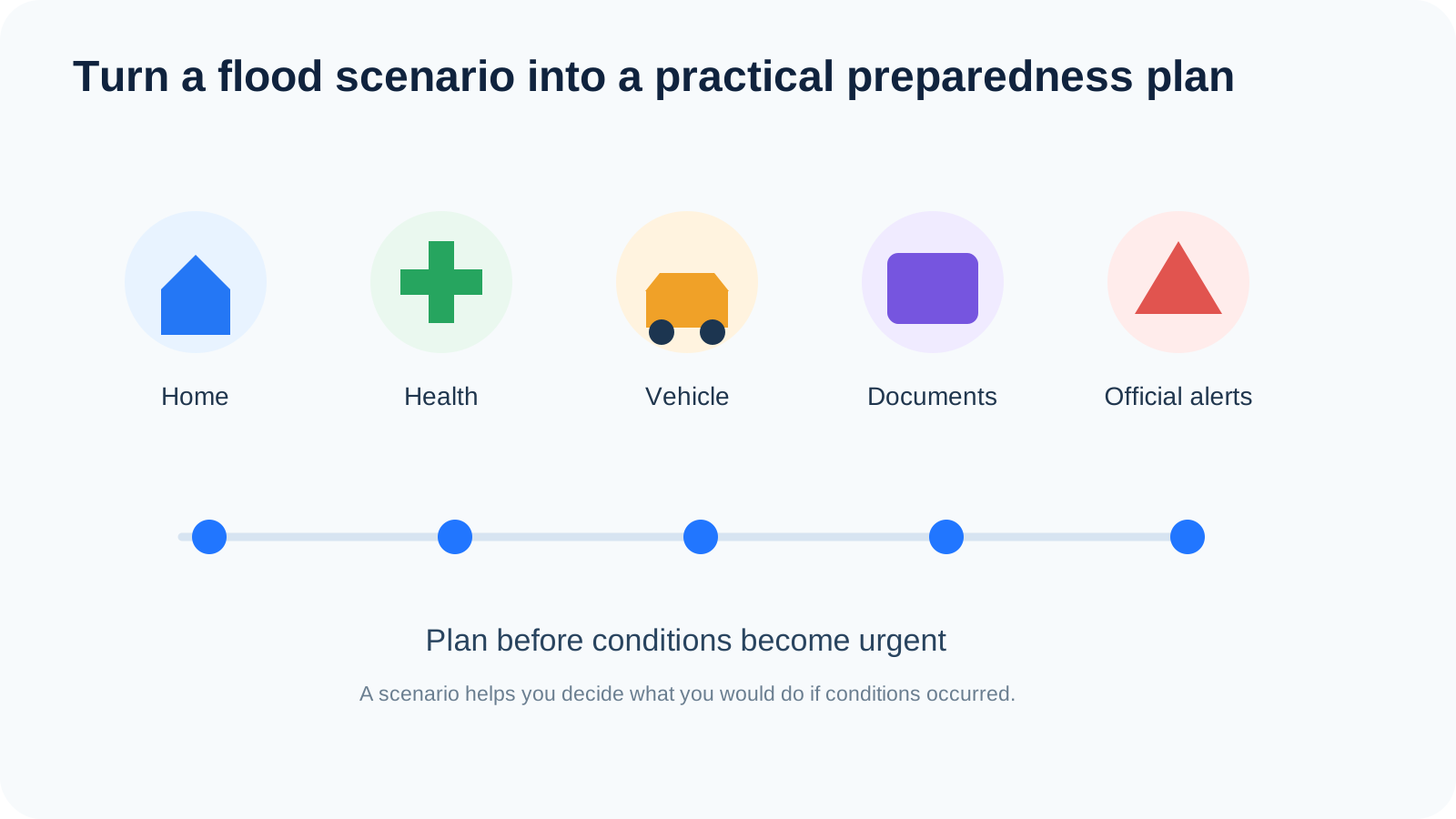
The best outcome of a sea-level screening session is a short list of practical actions.
For a household:
- identify higher parking;
- protect documents;
- review exits;
- check vulnerable family members;
- prepare power and communication backups.
For a business:
- identify low gates;
- protect critical equipment;
- review alternative logistics routes;
- define shutdown triggers;
- assign responsibility.
The map is useful when it changes what you prepare.
Frequently asked questions
Is the selected level a future sea-level prediction?
No. It is a screening threshold.
Does highlighted terrain mean it will flood?
No. It means the terrain lies at or below the selected threshold.
Can Flood calculate exact flood depth at my house?
No. The sea-level screening view is not a property-level hydraulic model.
Why can a highlighted area stay dry?
It may be protected, disconnected from water, drained or otherwise affected by local infrastructure.
Why can a non-highlighted area still have problems?
Rainfall, drainage failure, nearby lower roads, river overflow or infrastructure issues can still cause disruption.
Can I use the map for property due diligence?
Yes, as an early screening tool, but combine it with local history, official information and professional assessment for important decisions.
Is this useful for Bangkok?
Yes for relative terrain screening, but Bangkok’s drainage and flood-control infrastructure mean the map should be interpreted with local operational context.
Is this useful for coastal property?
Yes for broad elevation screening, but not as a full coastal inundation model.
Does the map include tides and storm surge?
The simple sea-level screening view should not be treated as a full tide or storm-surge simulation.
What should I do if official authorities issue a warning?
Follow official instructions immediately.
Final takeaway
The Flood sea-level map is most useful when you read it as terrain context, not as a prediction.
Use it to answer:
- What is relatively low?
- What changes first when the threshold rises?
- Which access routes deserve attention?
- Which places should I inspect further?
- What practical action should I take now?
That is the value of scenario screening.
Explore the terrain. Understand the limits. Verify with official sources. Prepare before conditions become urgent.
Was this article useful?
Leave a comment
Comments appear publicly after submission and are reviewed afterward.
Get Outborn updates
New articles and practical ideas in your inbox.